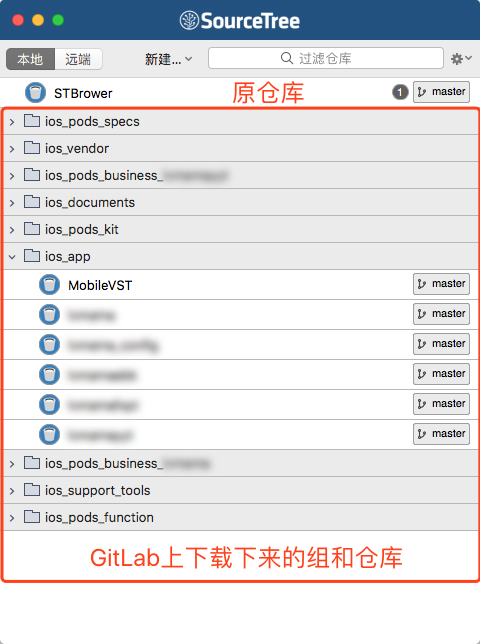
运行
终端执行(执行前,请先关闭SourceTree APP,备份browser.plist文件,确保万无一失)
备份browser.plist文件,进入到 ~/Library/Application Support/SourceTree/browser.plist
执行前:
确保代码该提交的提交。
退出SourceTree 应用。
备份原来的browser.plist文件。(~/Library/Application Support/SourceTree/browser.plist),确保万无一失!
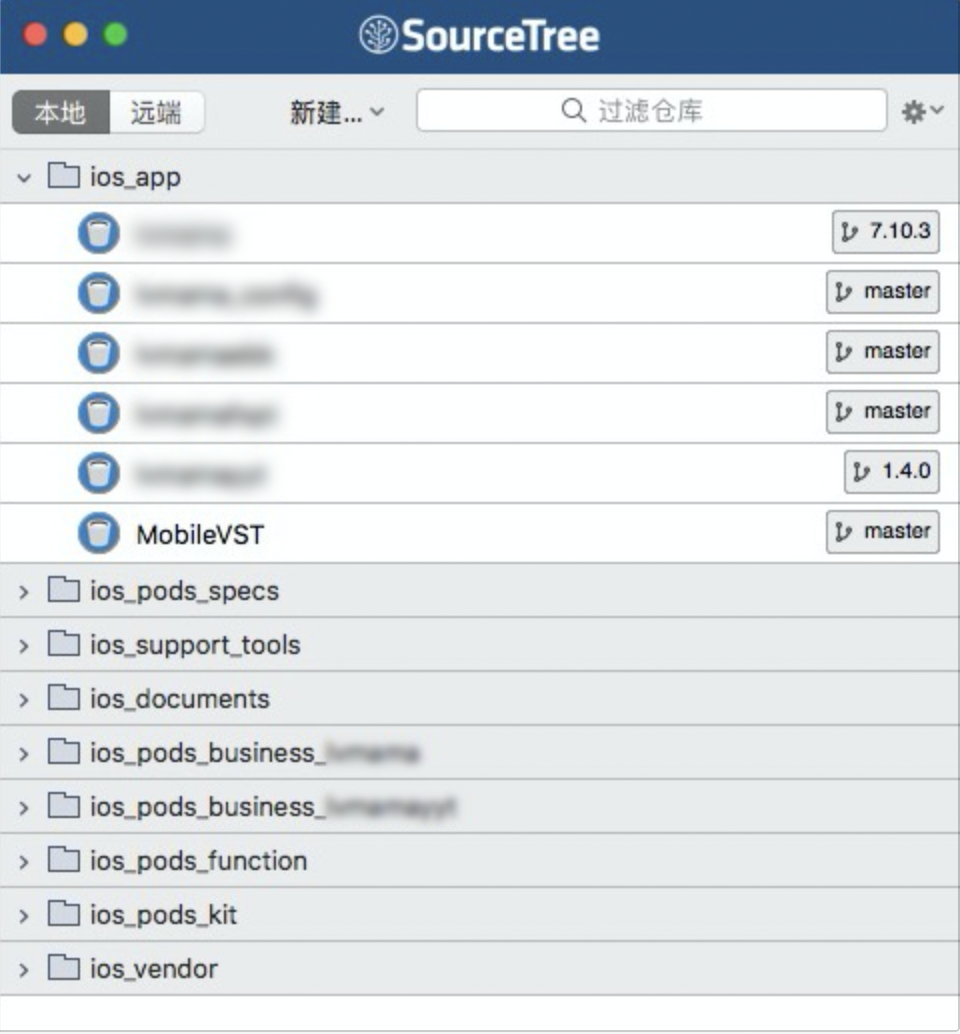
1.什么是SourceTree 自定义标签?
通过代码先下载所有GitLab上所有的资源并且根据GitLab上的分组自动在SoureTree上的第一个页面呈现出来。
好处:不用一个个去下载GitLab上的资源,一键下载所有的GitLab上的资源。
2、能否实现?
分析???
我们都知道在之前SourceTree是可以自定义Action的,先找到actions.plist文件。前往(~/Library/Application Support/SourceTree/actions.plist)查看。
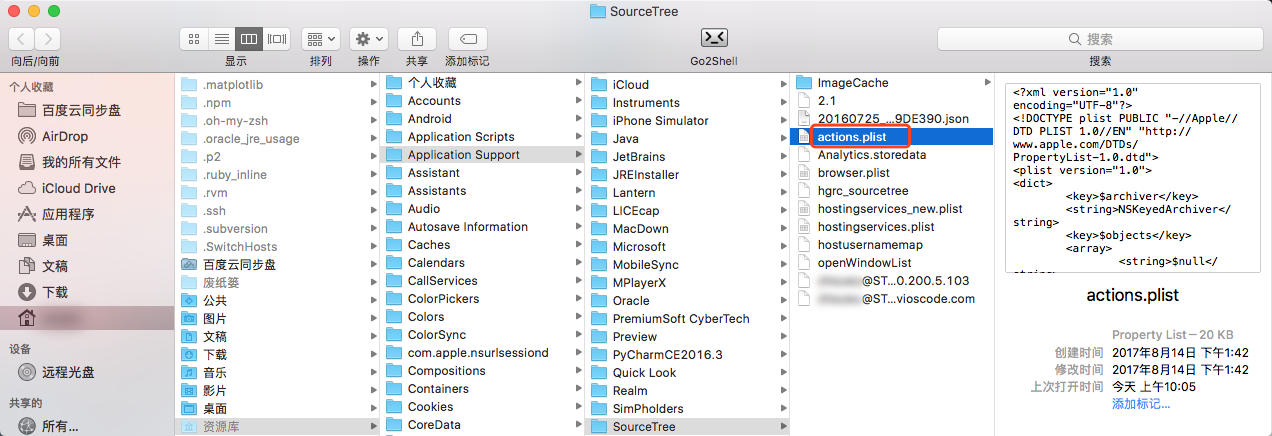
通过发现、分析 browser.plist文件有那么点意思,通过Sublime Text查看。
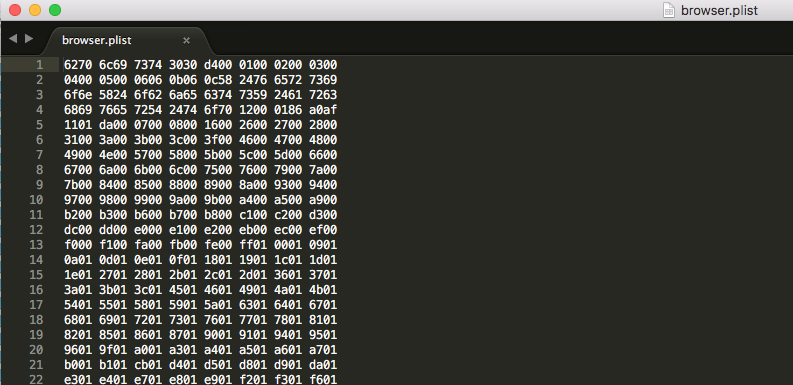
发现打开后的文件是一堆二进制文件,没法看。但actions.plist是能清晰的看到是以XML格式展示的代码。
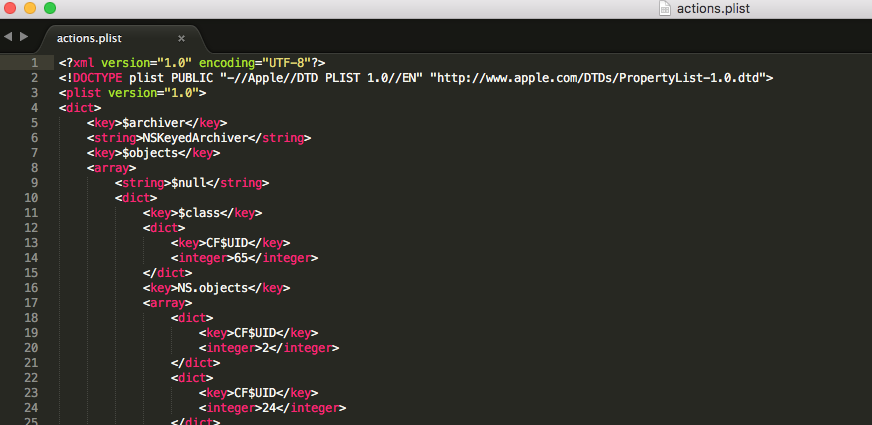
难道这个页面不是browser.plist????猜错了???继续分析…..
我们知道在归档plist文件时,其实是有三个格式选项归档plist文件:
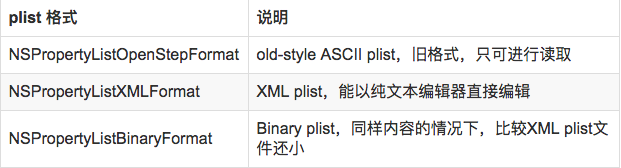
不难发现 actions.plist文件是通过第二种XML格式归档的,而browser.plist文件是通过第三种NSPropertyListBinaryFormat_v1_0二进制文件格式归档的。
查看browser.plist文件:
既然是归档文件,肯定能通过Xcode打开。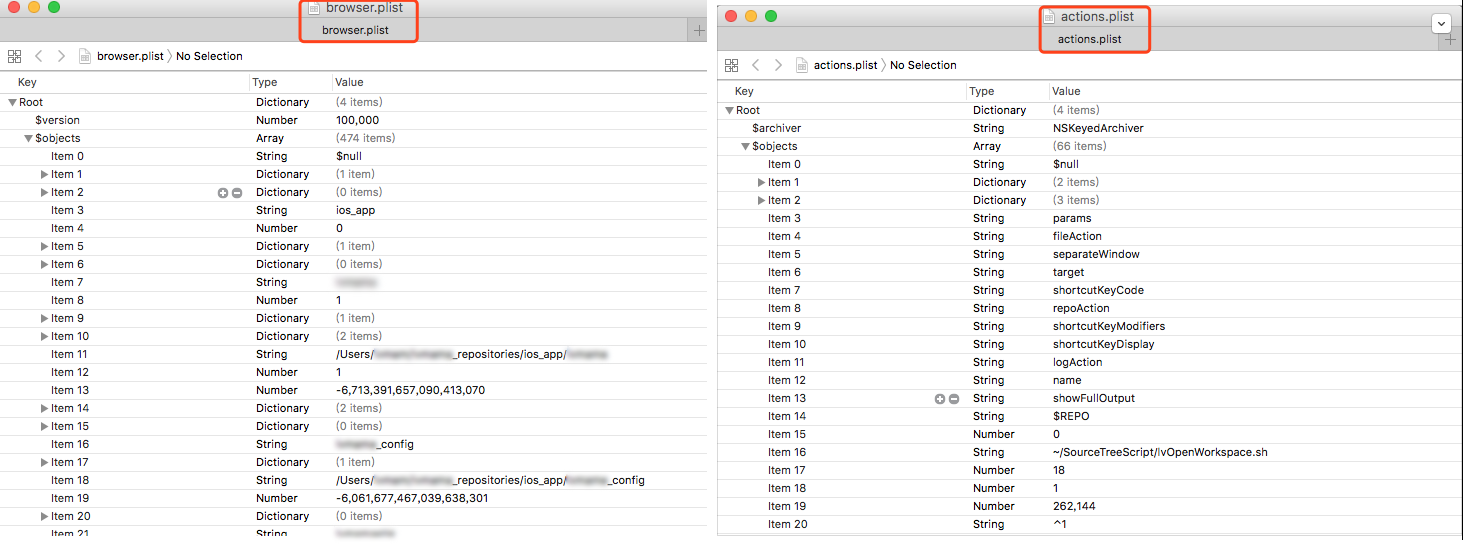
发现惊人的相似并且有更大的发现。
左图一些文本信息跟我们SourceTree打开的第一个页面非常吻合。
结论:有了自定义标签的基础,我们对这个browser.plist文件重新写入不就OK了吗?
3、plist深度分析
- browser.plist现在是以二进制归档的,如何像actions那样以xml文件格式打开?
通过plutil命令:
plutil -convert xml1 -o - ~/Library/Application\ Support/SourceTree/browser.plist
>我们以只有一个标签和只有一个action为例来形成对比(方便研究):
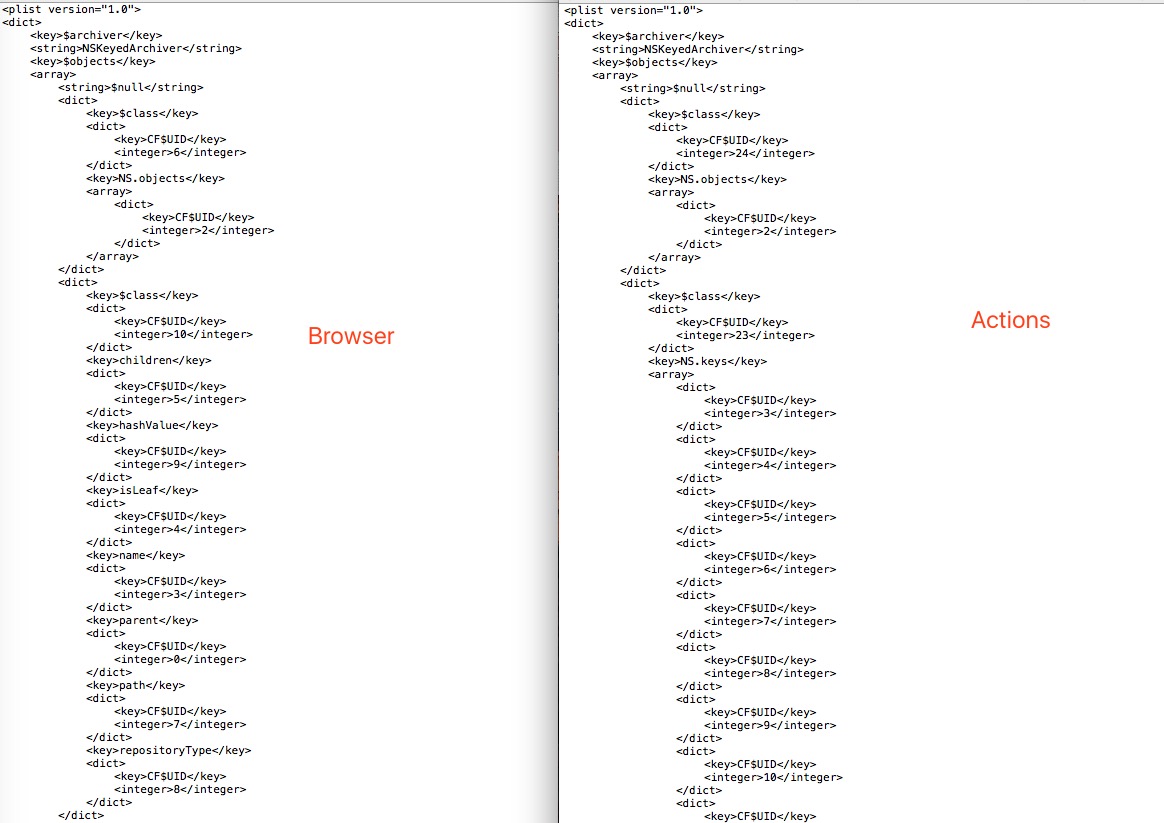
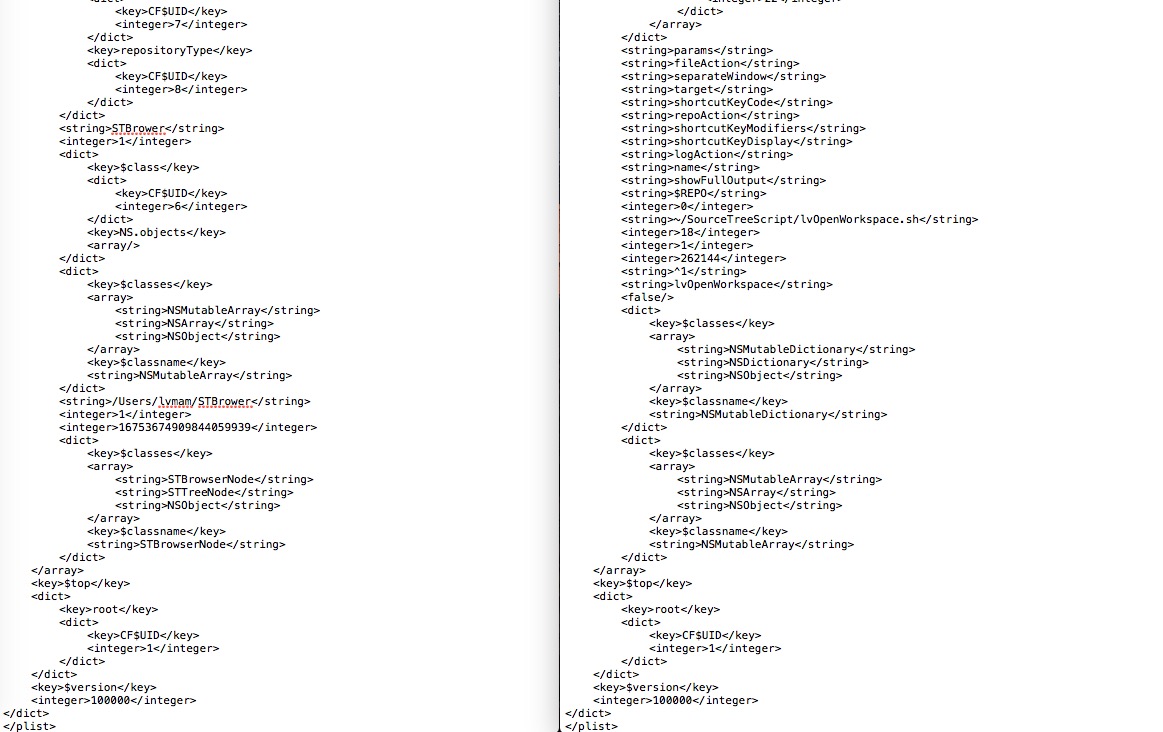
我们发现browser和action有2处最大的不同,其他基本上类似:
1. browser.plist文件多了几个key
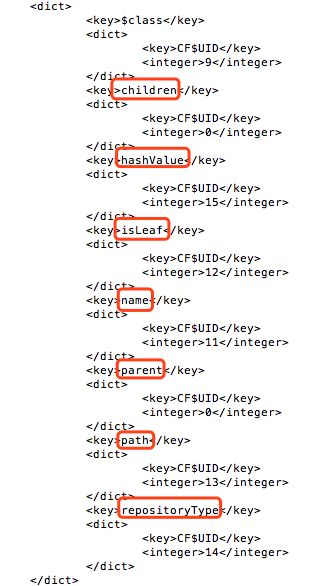
2.继承关系
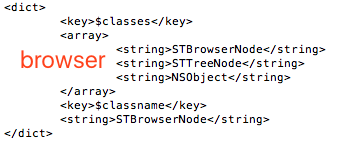
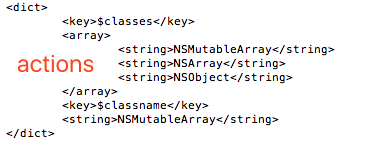
>从第2处我们得知:
Browser继承关系:STBrowserNode:STTreeNode:NSObject
Actions继承关系:NSMutableArray:NSAaray:NSObject
STBrowserNode、STTreeNode和上面的几处key是啥,猜测:几处key是不是STBrowserNode或STTreeNode 属性?
通过hopper 3工具我们进行反编译,查看SourceTree具体Class,直接搜索STBrowserNode关键字。
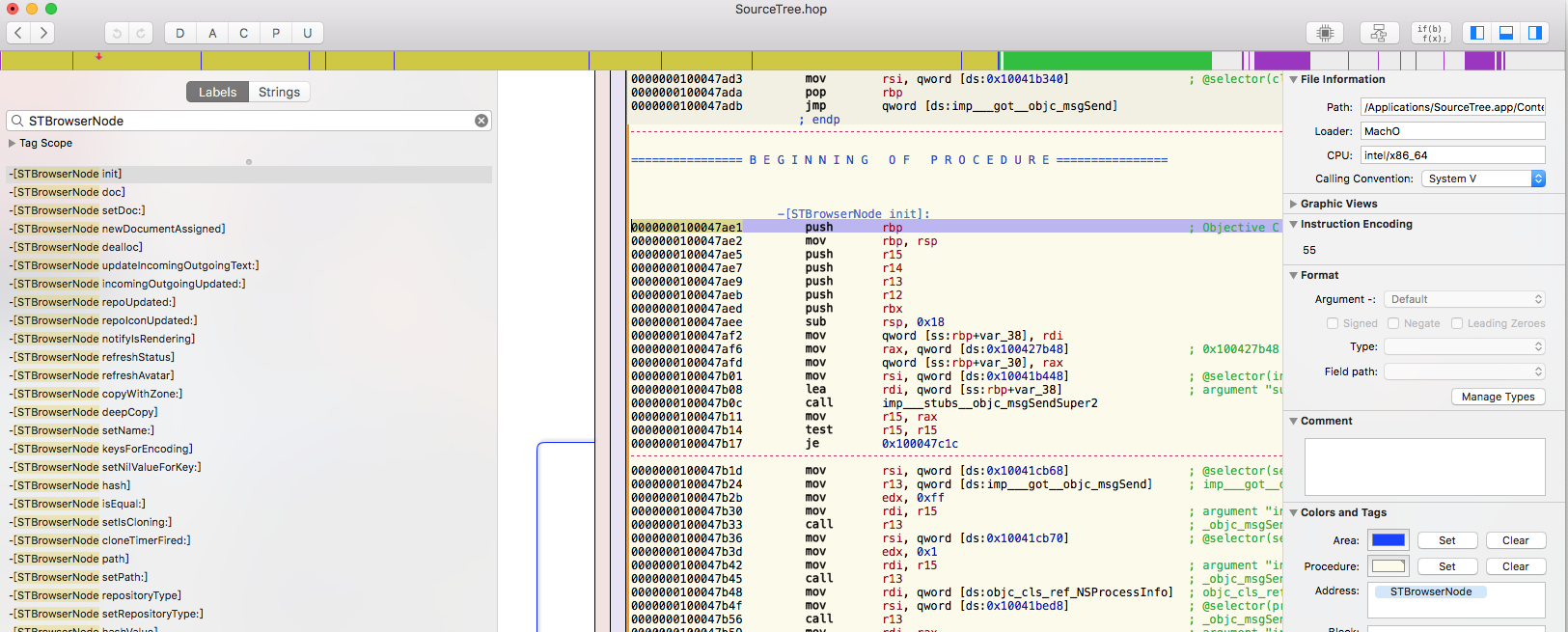
发现children,parent,isLeaf这三个属性果然是属于STTreeNode这个类的属性。
4、解档browser.plist文件。
SourceTree Browser页面。
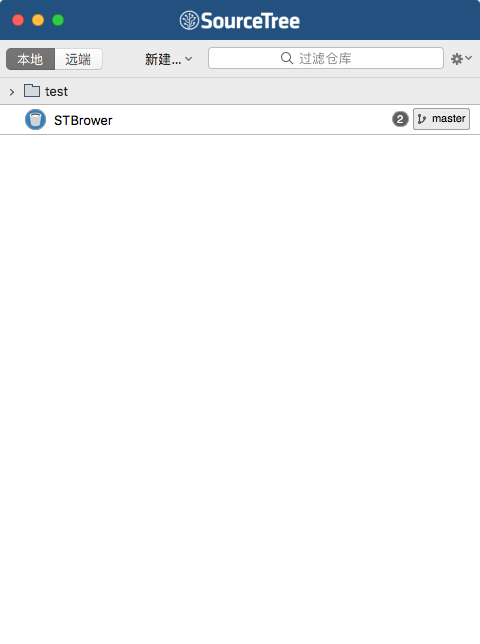
代码解档:

通过打印出来的数据发现:
解档出来的是个数组
数组里面是存在2个STBrowserNode 类
一个组存在一个STBrowserNode类,一个没有任何组的仓库也存在一个STBrowserNode类。
5、属性分析(name,path,hashValue以及repositoryType,children,parent,isLeaf)
搭建工程
根据上面的分析我们搭建的工程目录如下:
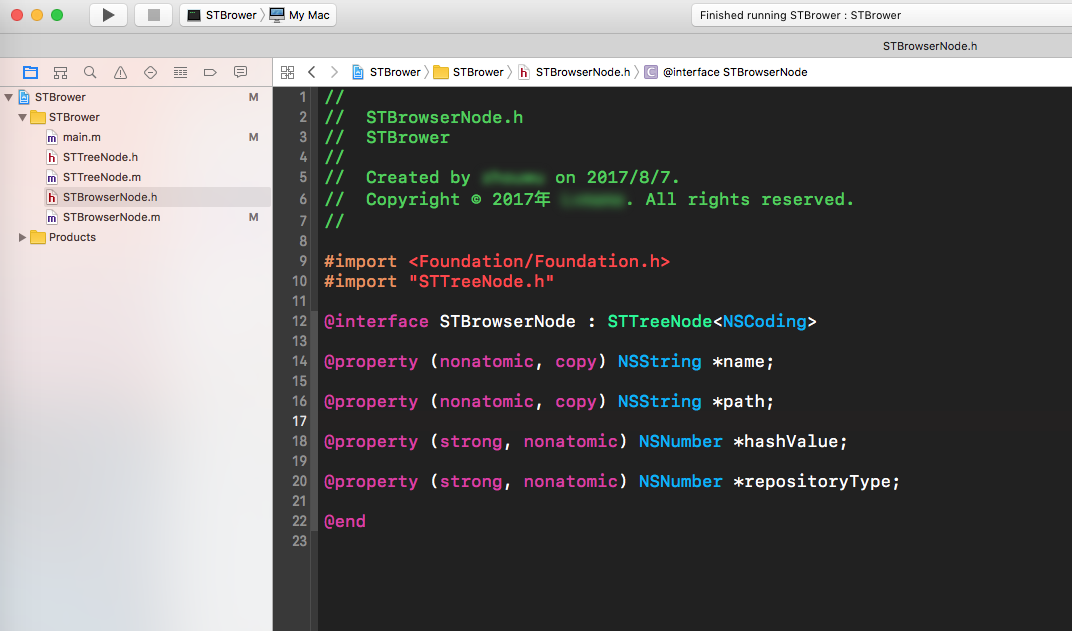
输出name,path,hashValue,repositoryType,children,parent,isLeaf 这几个key对应的值。
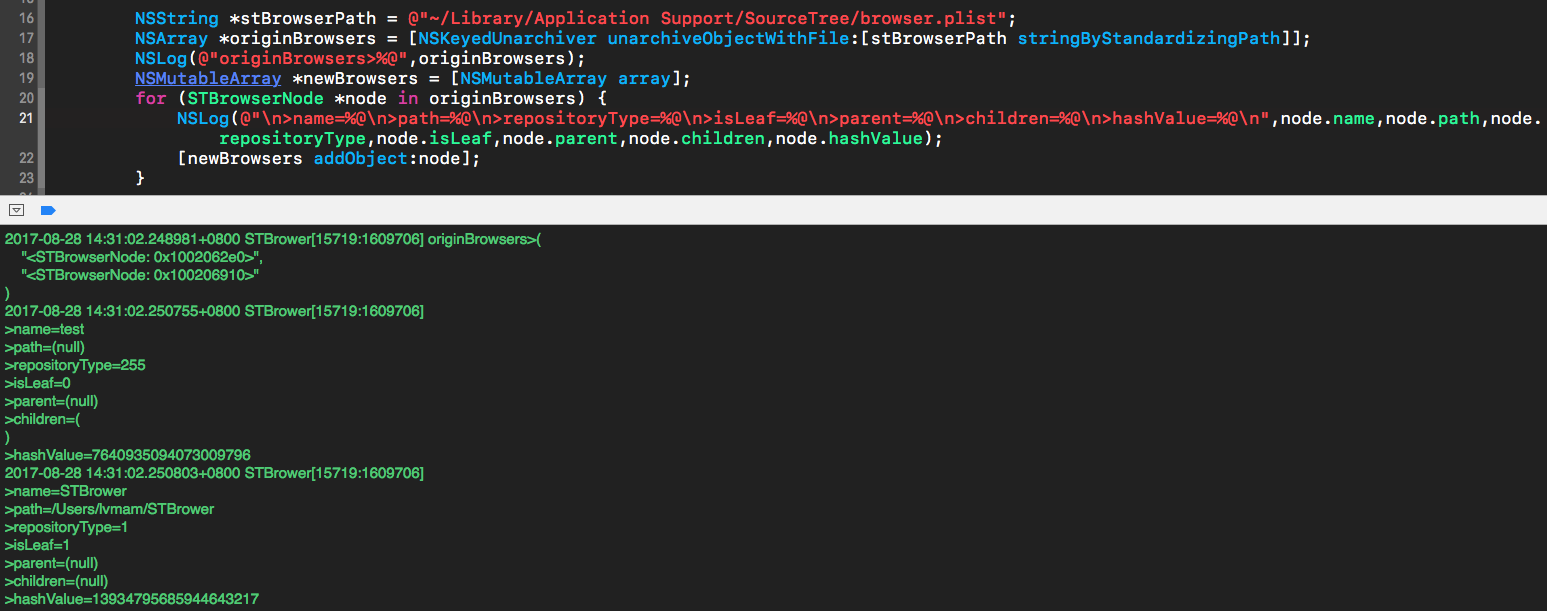
通过打印出来的数据发现:
组:
- 组(group)的path值是nil
- 组的isLeaf值是0,repositoryType的值是255。
实体仓库:
* 仓库的path是有值的
* 仓库的isLeaf值是1,repositoryType的值是1。
相同点:
name,hashValue都是有值的,parent值为nil,children为nil。
从上面的分析之后我们还有3个key没有得到解释:
children,parent,hashValue 这三个属性是啥?作用是?。。。。
分析children属性:
SourceTree是存在组的概念,这个属性是不是存在子的仓库?
实践:在组里面添加仓库。
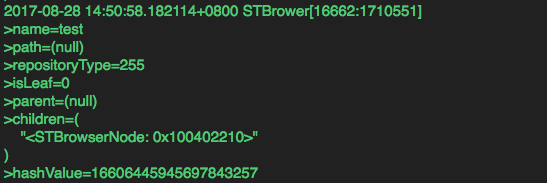
得出结论:children是存仓库和组。
分析parent属性:
字面意思是父亲,暂时不管它,因为不管是仓库还是组都是nil,既然存的nil值,也就说明什么操作都没做,相当于只是声明而已。
分析hashValue属性:
发现这是一段很长的阿拉伯数字且是一个独一无二的值,猜测应该为了区分组和仓库之间的存储。。。。
实践:通过修改组名或者仓库名查看这个值的长度值变化。
发现跟组名以及仓库的名称长度是没关系。打消了心中的一个猜测:
NSString *testStr = @"path";
NSInteger hashValue = [testStr hash];
继续分析这个hashValue怎么来的?
通过Hopper3 查看源码,分析STBrowserNode 这个类。
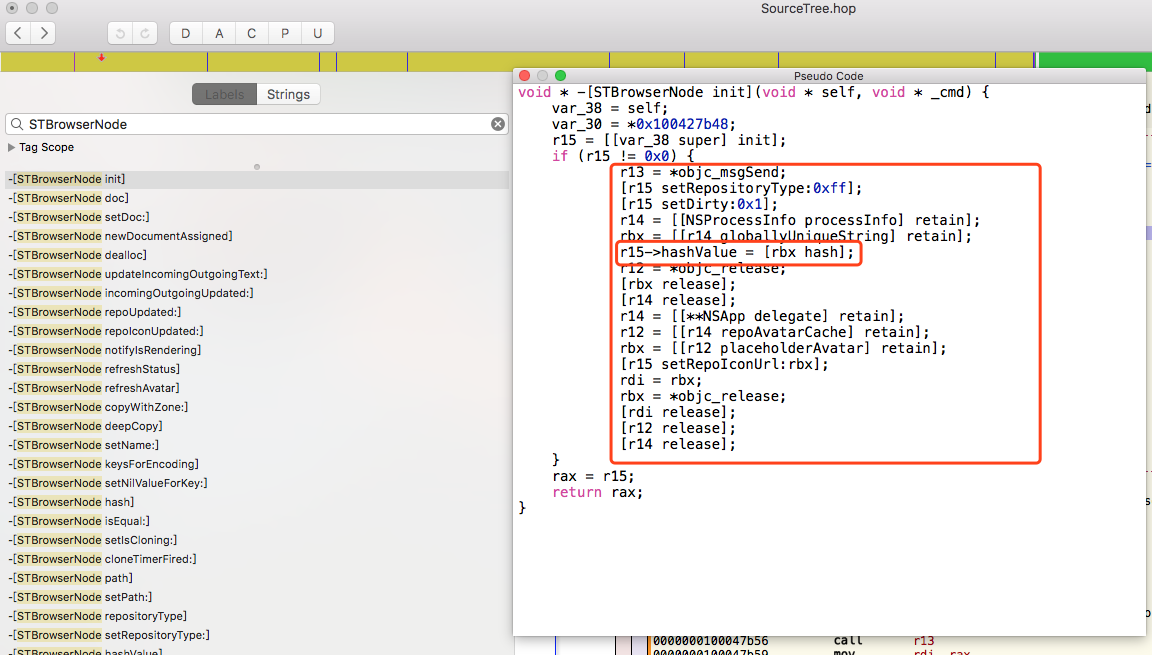
发现在init方法时,默认会给hashValue属性赋值:
解读里面代码OC代码如下:
self.hashValue = [[[NSProcessInfo processInfo] globallyUniqueString] hash];
结论:这个属性的值我们无需要管,init方法会默认赋值。
属性总结:
我们只需要对:name,path,isLeaf,repositoryType,children这五个属性操作值。
name:仓库名称
path:仓库路径,组的值是nil
isLeaf:组的isLeaf值是0,否则是1.
repositoryType:repositoryType的值是255,否则是1.
children:组中存储子的仓库或者组
#7、代码实战
// 1.>读取源browser.plist文件
NSString stBrowserPath = @”~/Library/Application Support/SourceTree/browser.plist”;
NSArray originBrowsers = [NSKeyedUnarchiver unarchiveObjectWithFile:[stBrowserPath stringByStandardizingPath]];
NSLog(@”originBrowsers>%@”,originBrowsers);
NSMutableArray newBrowsers = @[].mutableCopy;
for (STBrowserNode node in originBrowsers) {
[newBrowsers addObject:node];
}
// 2.读取py文件
NSString *pyDownloadFilesPath = [NSString stringWithFormat:@"%s/../cloneProjects.py",__FILE__];

// 3.开始下载GitLab上的资源
NSTask *task = [[NSTask alloc] init];
[task setLaunchPath:@"/usr/bin/python"];
[task setArguments:@[[pyDownloadFilesPath stringByStandardizingPath]]];

NSPipe *outPipe;
outPipe = [NSPipe pipe];
[task setStandardOutput:outPipe];
printf("下载中...\n");
[task launch];

NSFileHandle *outputfile;
outputfile = [outPipe fileHandleForReading];
NSData *outputdata;
outputdata = [outputfile readDataToEndOfFile];
NSString *outputsString = [[NSString alloc] initWithData:outputdata
                                                encoding:NSUTF8StringEncoding];
printf("下载完成...\n");
if (outputsString.length > 0) {
    NSArray *paths = [outputsString componentsSeparatedByString:@","];
    NSLog(@"paths-->\n%@",paths);

    // 4.分组
    NSMutableDictionary *modeNameDic = @{}.mutableCopy;
    [paths enumerateObjectsUsingBlock:^(NSString *path, NSUInteger idx, BOOL * _Nonnull stop) {
        NSArray *modePaths = [path componentsSeparatedByString:@"/"];
        NSString *modeName = [modePaths objectAtIndex:modePaths.count - 2]; // 组(模块)名
        modeNameDic[modeName] = @[].mutableCopy;
    }];

    NSMutableArray *modeNames = [NSMutableArray arrayWithArray:modeNameDic.allKeys];
    //        [modeNames sortUsingComparator: ^NSComparisonResult (NSString *str1, NSString *str2) {
    //            return [str1 compare:str2];
    //        }];

    NSMutableArray *modeValues = [NSMutableArray arrayWithArray:modeNameDic.allValues];
    //        [modeValues sortUsingComparator: ^NSComparisonResult (NSString *str1, NSString *str2) {
    //            return [str1 compare:str2];
    //        }];

    // 5.对应的组存储对应的path
    for (int i = 0; i < paths.count; i ++) {
        NSString *path = [paths objectAtIndex:i];
        path = [path stringByTrimmingCharactersInSet:[NSCharacterSet whitespaceAndNewlineCharacterSet]];

        NSArray *modePaths = [path componentsSeparatedByString:@"/"];
        NSString *modeName = [modePaths objectAtIndex:modePaths.count - 2];// 组(模块)名

        for (int j = 0; j < modeNames.count; j ++) {
            NSString *modeNameKey = modeNames[j];
            NSMutableArray *modeKeyValues= modeValues[j];
            if ([modeName isEqualToString:modeNameKey]) {
                [modeKeyValues addObject:path];
            }
        }
    }

    // 6.model写入对应的属性值
    for (int k = 0; k < modeNames.count; k ++) {
        NSString *modeName = [modeNames objectAtIndex:k];
        NSArray *children = [modeNameDic objectForKey:modeName];
        STBrowserNode *model = [[STBrowserNode alloc] init];
        model.name = modeName;
        model.isLeaf = @(0);// 组
        model.repositoryType = @(255);// 组
        [newBrowsers addObject:model];
        for (int i = 0; i < children.count; i ++) {
            NSString *path = children[i];
            NSString *name = [[path componentsSeparatedByString:@"/"] lastObject];
            STBrowserNode *subModel = [[STBrowserNode alloc] init];
            subModel.name = name;
            subModel.path = [path stringByStandardizingPath];
            subModel.isLeaf = @(1);
            subModel.repositoryType = @(1);
            [model.children addObject:subModel];
        }
    }

    // 7.归档
    NSString *configPath = stBrowserPath.stringByStandardizingPath;
    NSMutableData *data = [NSMutableData data];
    NSKeyedArchiver *archiver = [[NSKeyedArchiver alloc] initForWritingWithMutableData:data];
    archiver.outputFormat = NSPropertyListBinaryFormat_v1_0; // 以二进制的形式,XML也行
    [archiver encodeObject:newBrowsers forKey:@"root"];
    [archiver finishEncoding];

    if(data) {
        BOOL success = [data writeToFile:configPath atomically:YES];
        if (success) {
            printf("写入成功,退出SourceTree并重新打开。\n");
            //   NSFileManager *fileManager = [NSFileManager defaultManager];
            //   BOOL success = [fileManager removeItemAtPath:pyFilePath error:nil];
            //   if (success) {
            //     NSLog(@"\n已删除新建的Py文件");
            //  }
            }
        } else {
            printf("写入错误\n");
        }
    }
7、最终效果: